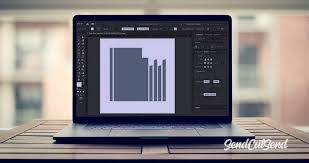
Laser marking is not just about the hardware; the right software and design approach play a crucial role in achieving precise, high-quality results. Proper software allows you to control laser parameters, design intricate patterns, and ensure consistent output across multiple products.
Key Tips for Software and Design in Laser Marking:
-
Choose the Right Software: Use software compatible with your laser machine for smooth workflow and advanced design features.
-
Optimize Vector Graphics: Convert designs to vector format for sharper, more precise markings.
-
Adjust Laser Parameters: Set correct speed, power, and frequency based on material type for optimal results.
-
Test Before Production: Always run a sample marking to check accuracy and quality.
-
Simplify Designs: Avoid overly complex patterns that may slow down the marking process or reduce clarity.
-
Use Templates: For repetitive marking tasks, templates ensure consistency and save time.
-
Regular Updates: Keep software updated to access new features and improve efficiency.
By combining the right software tools with smart design practices, manufacturers can enhance productivity, maintain high-quality output, and unlock the full potential of their laser marking machines.